Instagram Highlights for Business: What to Put in Each One
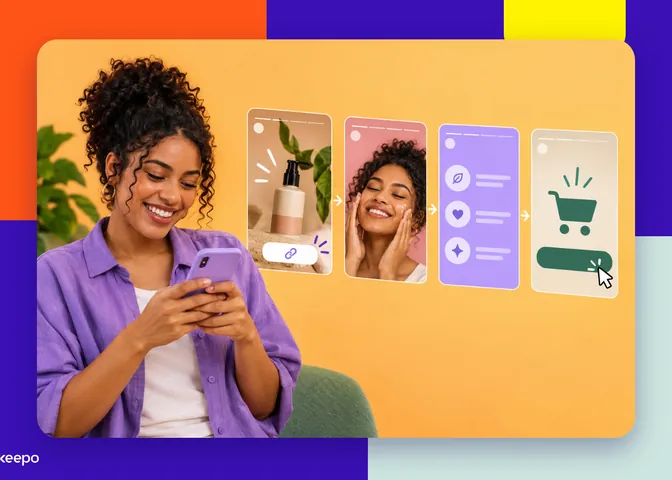
Highlights are where visitors decide whether to trust you. Learn what to put in each one, with examples for businesses that sell products and those that offer services, and how to guide customers to your link in bio.

When someone lands on your profile for the first time, the path is usually the same: they read your bio, glance at the highlight circles, and open one or two. That's where, in just a few seconds, they try to answer questions like what does this person sell?, how much does it cost?, can I trust them? and how do I buy?. If your highlights have names like "Daily Life", "Trip 2022" and a pile of random stories, those questions go unanswered and the visitor leaves without sending you a DM.
The good news is that organizing this is simple and doesn't require fancy design. Below is a practical structure, with examples for businesses that sell products and those that offer services, plus a way to make each highlight move the customer to the next step.
Think of highlights as the questions customers ask before buying
Before creating pretty covers, list the questions you get most often in your DMs and on WhatsApp. They almost always fall into five groups: how it works, how much it costs, how I get it, what if something goes wrong, and whether past customers were happy. Each group becomes a highlight.
This approach has two advantages. Visitors find the answer on their own, without waiting for you to reply. And you stop repeating the same explanations ten times a day, because you can simply say: "Take a look at the Prices highlight".
The 5 highlights every business profile needs
1. How it works: explain what you do in a few stories
This highlight is for people who have never heard of you. In three to six stories, explain what you sell or do, who it's for, and how the process works from start to finish. Talk as if you were explaining it to a friend: "I make custom cakes for small parties. You pick the flavor, tell me the date, and I deliver it ready to serve".
Put this highlight first. It's what turns a curious visitor into someone who understands your business.
2. Prices or catalog: show what people can buy
Many people hide their prices for fear of scaring customers away. The effect is usually the opposite: people who can't find any price either give up or send a "how much?" and disappear after you reply. If your prices vary, show a range ("starting at") or your most popular packages.
If you sell products, you can use this space as a storefront: one photo per item, with name and price. If you offer services, you can show your packages or appointment options. If your catalog is large, don't try to fit everything here. Show the main items and let people know the full list is at the link in your bio.
3. Delivery or appointments: answer the "what happens next" questions
Here you cover the practical side. For products: delivery times, areas served, shipping, pickup, packaging. For services: where appointments take place, whether they're online or in person, how long they last, how booking works, and your rescheduling policy.
This highlight greatly reduces the uncertainty of people who have never bought from you, because it shows there's an organized process behind the profile.
4. FAQ: frequently asked questions in story format
Take the questions that come up most and answer one per story. A format that works well is putting the question in large letters at the top and a short answer below. Examples:
- "Do you accept Pix and cards?"
- "Do you offer same-day delivery?"
- "Do you take health insurance?"
- "Can I exchange it if it doesn't fit?"
Whenever a new question starts coming up repeatedly, it gets a story here.
5. Results: let other people speak for you
Screenshots of messages from happy customers, photos of customers using the product, before-and-afters (when it makes sense and is allowed in your field), tags you've received. Ask for permission before posting and hide personal details like phone numbers and last names.
This highlight answers the hardest question: can I trust you?. That's why you should keep it alive by adding new results often.
Ready-made examples to adapt to your business
Selling products: a clothing store on Instagram
- How to buy: step by step from choosing the item and checking the size to placing the order.
- Collection: current pieces with prices, grouped by type.
- Sizes: size chart and tips on how to measure.
- Shipping: delivery times, shipping costs, pickup, and exchanges.
- Customers: photos and messages from people who have already bought.
Offering services: a nutritionist
- About me: background, approach, and who the service is for.
- Sessions: what the first appointment is like, follow-ups, online or in person.
- Pricing: packages and payment methods.
- FAQ: the most common questions before booking.
- Reviews: messages from clients, with their permission.
Notice that the names are short. Instagram cuts off the text under the circle, so stick to one or two words that say exactly what's inside.
How to make each highlight lead to the next step
This is the part most people forget. Someone watches the whole highlight, is convinced, and reaches the last story without knowing what to do. Fix it like this:
- End every highlight with a clear call to action. The last story should say what to do now: "To order, tap the link in bio" or "Book your appointment through the link below".
- Use the link sticker. In stories, you can add a link sticker that stays clickable when the story is added to a highlight. Point it to the page where the customer actually buys or books, not to a generic page.
- Match the highlight to the destination. The Prices highlight should lead to the catalog. The Sessions highlight should lead to booking. The FAQ highlight can lead to a form or your WhatsApp. The more direct the path, the fewer people give up halfway.
Rule of thumb: if a customer finishes watching a highlight and has to ask "okay, so how do I buy?", a step is missing.
For this to work, your link in bio needs to be organized too. A page with your catalog, booking, a quote request form, and the option to pay by Pix or card means all your highlights point to one place, where customers can take care of everything without leaving their phone.
Common mistakes that make visitors give up
- Outdated highlights: old prices, sold-out products, or expired promotions give the impression of an abandoned profile.
- Too many stories: nobody watches forty FAQ stories. Keep each highlight lean and review anything that no longer makes sense.
- Vague names: "Info", "More", or just an emoji force people to guess what's inside.
- Wrong order: Instagram usually puts the most recently updated highlight first. If your Results highlight ended up at the end, add a new story to it to bring it back to the front.
- No way out: a highlight that informs but doesn't say how to buy or book.
A simple routine to keep everything up to date
Set aside some time each month to open your highlights as if you were a customer. Check prices, delivery times, and links, remove anything outdated, and add the new reviews and questions that have come in. It only takes a few minutes and saves you from lots of repeated questions in your DMs.
With your highlights organized, all that's left is making sure the next step is easy. With Keepo, you can build a link in bio page with a catalog, booking, forms, and payment by Pix and card, so every highlight takes customers straight to where they can buy or book. Create your Keepo and connect your highlights to it today.