
Instagram Story links: how to use the link sticker to turn followers into buyers
A step-by-step guide to adding a link to your Story, choosing the sticker text, building a sequence that explains your offer and sending followers straight to the right page.
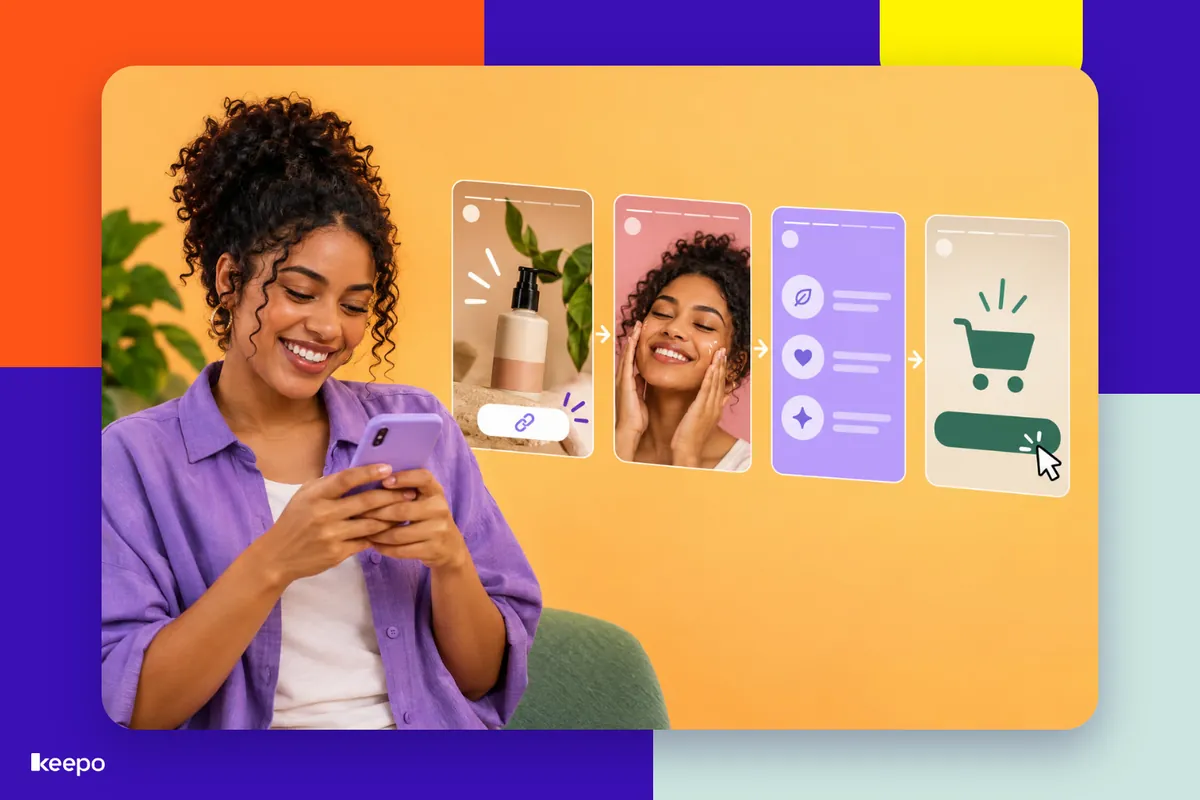
Your link in bio sits there all the time, waiting for someone to visit your profile. Stories, on the other hand, catch your followers in the middle of their day, watching your content, with their attention on you. That's where a lot of people decide to tap the link right away, without having to hunt for what you offered. The feature that makes this happen is the link sticker. In this guide you'll learn how to add a link to your Story, where to place the sticker, what to write instead of "click here" and how to build a sequence that explains your offer before asking for the tap.
How to add a link to your Story, step by step
The link sticker isn't just for big accounts. Here's how it works:
- Open the Stories camera (swipe right on your feed or tap your profile picture with the + sign).
- Record, take a photo or pick an image or video from your camera roll.
- Tap the stickers icon, the little square with a smiley face, at the top of the screen.
- Choose the Link sticker.
- Paste the full URL of the page you want to send people to.
- Tap Customize sticker text and write a call to action that says what happens when they tap (more on that below).
- Tap Done, drag the sticker into place and resize it with two fingers.
- Tap the sticker itself to cycle through the available colors and pick the one that stands out most against the background.
Before you post, double-check the URL. A typo or an old link throws away all the effort you put into the sequence. After posting, open the Story from your account and tap the sticker to test it.
Where to place the sticker so it gets seen and tapped
The sticker should feel like part of the Story, not a hidden detail. A few tips:
- Stay away from the edges. The top of the screen holds your profile picture, your name and the progress bar. The bottom holds the reply field. A sticker there gets lost or is hard to tap.
- Use the middle area. From the center down is where your thumb reaches easily on a phone.
- Don't cover what matters. If the Story shows the product, put the sticker beside it or just below it, never on top.
- Make sure there's contrast. A light background calls for a dark sticker, and vice versa. A hand-drawn arrow or a GIF pointing at the link also helps.
- Point it out out loud. If you're recording, say "the link is right down here" and point. It sounds obvious, but many people don't even notice the sticker without that nudge.
What to write instead of "click here"
If you don't customize it, the sticker only shows the website address, which means nothing to the person watching. And "click here" doesn't help either: people don't know what they'll find. The rule is simple: write what the person gets or does when they tap. Space is tight, so get straight to the point.
Examples by type of business
- Clothing store: "See sizes and colors", "I want this dress".
- Bakery: "See this week's menu", "Order my cake".
- Salon, clinic or studio: "Pick my time slot", "See open slots".
- Service provider: "Get a quote", "Tell us about my project".
- Online course creator: "Save my spot", "See what's in the course".
- Content creator: "Get the free guide", "See the products from the video".
Notice that they all start with a verb and sound the way your follower would talk. That clears up the question of "what's going to open if I tap this?".
Build a sequence that explains the offer before asking for the tap
A single Story with a link rarely convinces anyone. People need to understand what it is, why it matters to them and how much it costs before they feel like tapping. A short sequence takes care of that. This template works for almost any kind of offer:
- Hook: start with your follower's problem or desire. "You know when you need a last-minute gift?"
- The offer: show the real product or service, in use, up close, ideally with you talking.
- Details that answer questions: price, sizes, delivery time, how booking or service works, payment methods.
- Proof: show behind the scenes, a before and after or a screenshot of real praise from a customer (with their permission).
- Call to action with the link: now it's time for the sticker, with clear text and a deadline, if there is one. "Last few pieces from this batch, grab yours here."
You can repeat the sticker on more than one Story in the sequence, especially the last one, which is what stays on screen for people who watched to the end. It's also worth posting a reminder later the same day for those who watched but didn't tap: "There's still time, the link is right here".
Think of the sequence as a conversation at the counter: you don't hand over the card machine before showing the product. Explain first, then offer.
Send followers to the right page, not the home page
This is the mistake that loses the most sales. Someone sees a dress in your Story, taps the link and lands on a page with ten buttons. Now they have to go looking for the dress. Every extra tap is another chance to give up, especially on a phone, with notifications coming in all the time.
The fix is to use a different link for each goal:
- Talked about a product? The link goes straight to that product, with photo, price and a buy button.
- Opened up appointments? The link goes to your booking calendar, where people pick a day.
- Want to get quote requests or gather interested people? The link goes to the form.
With Keepo, your catalog, booking, forms and payments all live on the same minisite, and you can use the link to whichever section matters at that moment in your Story. Followers tap, land exactly on what you showed them and can pay by Pix or card right there, without having to DM you to ask how to buy. Your bio link still points to the home page, which works as a general storefront for people who come in through your profile.
Common mistakes that kill your taps
- Asking for the tap without context. A Story that just says "link here" gives people no reason to tap.
- Hiding the price. Many people won't tap just to find out how much something costs. If price weighs on the decision, show it.
- A small or camouflaged sticker. If it blends in too much with the background, nobody sees it.
- A broken or outdated link. Always test after posting.
- A page that wasn't designed for mobile. If it loads slowly, has tiny text or requires a long sign-up, people go right back to Stories.
- Letting the offer vanish after 24 hours. Save the sequence to a Highlight with a clear name, like "Orders" or "Booking", so you keep getting visits afterward.
How to tell if it's working
In each Story's insights, Instagram shows how many people tapped the link sticker. Use that to compare: which sticker text got more taps, whether the sequence with the price did better than the one without, whether the sticker in the middle of the screen performed better than near the bottom. Change one thing at a time so you know what made the difference. Over time, you'll figure out how your audience likes to be invited.
Start with your next Story
You don't need to overhaul your whole Instagram to get started. Pick one offer, record a short sequence with a hook, details and a call to action, write sticker text that says what happens when people tap and send your followers straight to the right page. If you don't yet have an organized place to receive that tap, create your Keepo and set up your links, catalog, booking calendar and forms with Pix and card payments, ready to use in your very next Story.